The numbers are sobering. In 2026, over 7.5 million cyber incidents were recorded globally, a significant jump from the prior year, and cybercrime is on track to cost businesses up to $15.63 trillion annually by 2029. Perhaps most alarming: 91% of successful breaches still begin with a single phishing email, and today’s phishing is no longer a clumsy, typo-riddled scam. It’s crafted by AI, personalized to the recipient, and nearly indistinguishable from legitimate communication.
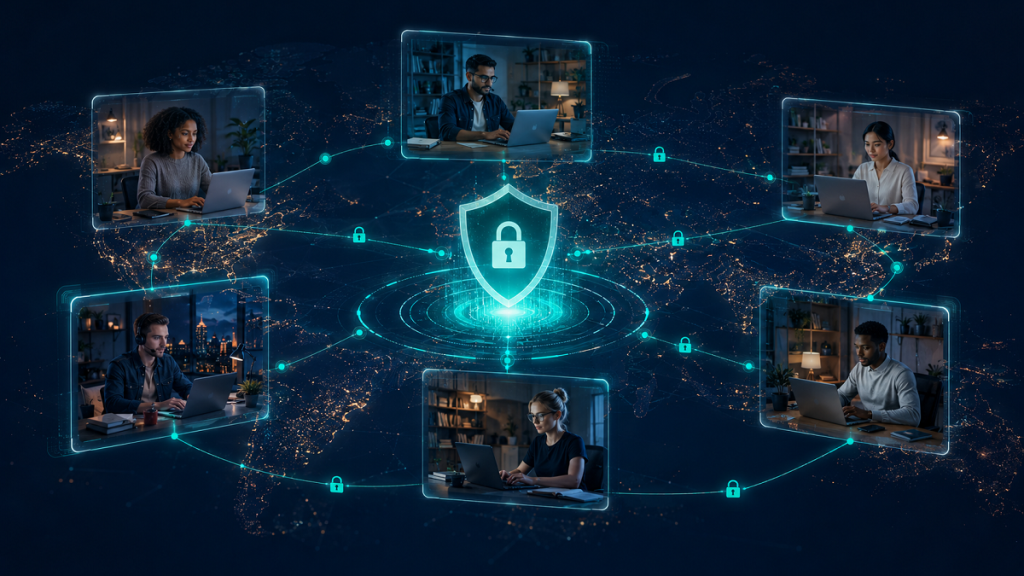
Remote and outsourced teams sit at the center of this storm. When your workforce operates across multiple countries, time zones, and devices, and includes virtual assistants, freelancers, or outsourced IT talent, your attack surface multiplies dramatically. Every home Wi-Fi network, personal device, and third-party platform is a potential entry point. A staggering 72% of business owners now cite remote and hybrid work arrangements as their top cybersecurity concern.
And yet, many businesses expanding through global outsourcing are doing so without a coherent cybersecurity strategy for their distributed workforce. The threat is happening now, and it’s happening to organizations of every size.
In this blog, we will cover the best cybersecurity practices you need to know for your remote team.
Key Highlights
- AI-powered attacks are evolving fast, and remote, outsourced teams are the #1 target in 2026.
- From Zero Trust and MFA to endpoint protection, learn the practices that actually keep distributed teams secure.
- Discover how to govern AI virtual assistants and outsourced staff without slowing your business down.
- Includes a free implementation checklist you can audit and apply to your team today.
Key Cybersecurity Risks for Remote Teams in 2026
Understanding the threat landscape is the first step. Here are the most significant cybersecurity risks your remote and outsourced teams face in 2026, many of which are dramatically underestimated by organizations until it’s too late.
AI-Powered Phishing & Social Engineering
Generative AI enables attackers to craft hyper-personalized phishing emails, voice clones (“vishing”), and deepfake video calls. Remote workers are particularly vulnerable without in-person verification available. Among business owners surveyed in 2026, 46% identified AI prompt hacking (including phishing) as their primary concern, followed by LLM data poisoning at 38%.
Endpoint Vulnerabilities
Remote workers using personal or poorly managed devices create gaps in your security perimeter. An unpatched laptop in a home office can expose your entire cloud infrastructure. In a remote workforce, endpoints are the primary attack surface, every device that connects to your systems is a potential entry point.
Shadow IT & Unsanctioned Tools
Virtual assistants and remote staff often adopt tools their employer hasn’t vetted, cloud storage apps, messaging platforms, AI tools, which can exfiltrate data outside your security controls. Shadow IT is one of the hardest risks to quantify because, by definition, you don’t know it’s happening.
Third-Party & Supply Chain Attacks
At least 29% of all data breaches involve a third-party vendor or contractor. When outsourcing, you inherit the security posture of every partner, vendor, and contractor in your supply chain. A breach at a VA’s tool provider can become your breach.
Insider Threats from Outsourced Staff
Outsourced team members, whether malicious or negligent, can exfiltrate sensitive data if access controls are not properly scoped. Without physical oversight, monitoring is essential.
Cloud Misconfiguration & Over-Permissioned Access
Granting remote workers or VAs broad access “for convenience” is a leading cause of data breaches. Overprivileged accounts are the easiest target for attackers who gain initial access.
The Unique Risk Profile of Outsourced & Virtual Assistant Teams
The risks above are compounded when working with outsourced talent or virtual assistants. Unlike in-house employees who go through consistent onboarding and use company-managed devices, outsourced workers often:
- Operate from locations with varying local cybersecurity regulations and infrastructure quality
- Use personal devices and internet connections you cannot directly manage
- Access sensitive systems without a formal, security-audited onboarding process
- Work across multiple clients simultaneously, increasing cross-contamination risk
- Rely on communication tools that may not meet enterprise security standards
Critical Stat: 53% of business leaders say they’re unprepared for the cybersecurity risks posed by AI-powered tools, and that number jumps even higher when outsourced AI-powered virtual assistants are part of the equation.
Cybersecurity Best Practices For a Remote Team
There are several issues with having a remote team in 2026. However, there are a few practices that can make working with an overseas team very safe and efficient. Here are some of these practices.
1. Implement Zero Trust Architecture & Multi-Factor Authentication (MFA)
Zero trust is no longer optional for organizations with remote or outsourced teams. The core principle, “never trust, always verify”, assumes that threats exist both inside and outside your network. Every access request must be authenticated, authorized, and continuously validated, regardless of where it originates.
For remote teams, this means no user or device is automatically trusted, even if they’ve accessed the system before. Combined with MFA (now mandatory at 91% of security-leading companies), zero trust dramatically reduces the impact of stolen credentials, the #1 method attackers use to gain access to cloud systems.
For outsourced staff and virtual assistants, enforce Zero Trust Network Access (ZTNA) solutions instead of traditional VPNs. ZTNA connects users directly to specific applications, not your entire network, limiting the blast radius if an account is compromised.
Key actions:
- Deploy a ZTNA solution (e.g., Cloudflare Access, Zscaler, Palo Alto Prisma)
- Enforce MFA on every account, email, cloud, SaaS, and VPN
- Apply least-privilege access: users get only the permissions they need for their role
- Continuously verify identity and device health, not just at login
2. Secure Tools, Platforms & Data Sharing Protocols
One of the most common, and most dangerous, mistakes businesses make when working with virtual assistants or outsourced teams is sharing credentials over email, WhatsApp, or unsecured channels. Never share passwords in plain text.
Establish clear, enforced protocols for how data is shared with remote workers:
- Use enterprise password managers (1Password Teams, Bitwarden Business) with shared vault controls and granular permissions
- Mandate end-to-end encrypted collaboration tools (Slack Enterprise Grid, Microsoft Teams with DLP policies)
- Apply role-based access control (RBAC): virtual assistants should only access data and systems required for their specific tasks
- Use secure file sharing with expiring links and download restrictions, not open Google Drive folders
- Never allow company data to be saved to personal devices or unapproved cloud storage
How to securely share information with a virtual assistant: Use a shared password manager vault scoped to their tasks, share files via time-limited encrypted links, and ensure all communication happens on approved enterprise platforms, not personal channels.
3. Mandatory Security Training for All Remote & Virtual Assistant Staff
Technology alone cannot protect your business if the humans operating within it are unprepared. Only 52% of organizations currently provide phishing-specific awareness training, despite phishing being the #1 attack vector. That gap is where attackers win.
Security training for outsourced teams and virtual assistants must cover:
- Phishing and spear-phishing recognition: including AI-generated and deepfake-based social engineering
- Password hygiene and MFA setup: make it mandatory, not optional
- Incident reporting procedures: what to do if they suspect a breach or receive a suspicious message
- Acceptable use policies for AI tools, cloud services, and personal devices
- Data handling and classification which data is sensitive and how to store and transmit it
Training should be repeated at least quarterly, not just at onboarding. Simulated phishing exercises are one of the most effective tools available and can reduce click rates on malicious links by over 70%.
4. Endpoint Protection & Secure Remote Access (VPN / ZTNA)
Every device a remote team member or virtual assistant uses to access your systems is a potential attack vector. In 2026, endpoint security means going far beyond antivirus software.
Best practice endpoint protection for remote teams includes:
- Endpoint Detection and Response (EDR), now used by 57% of security-leading organizations, EDR provides real-time threat detection and automated response on remote devices
- Mobile Device Management (MDM) for company-issued devices, enforcing encryption, auto-lock, and remote wipe capabilities
- ZTNA over traditional VPNs for outsourced workers, ZTNA verifies identity, device health, and context before granting access to specific applications
- Automatic session expiration to reduce exposure from unattended or shared devices
- DNS filtering to block malicious sites at the network level, even on home connections
For outsourced teams where company-managed devices aren’t feasible, enforce minimum device security requirements as part of your contractor onboarding agreement.
5. Activity Monitoring & Audit Logging Without Invading Privacy
Monitoring remote teams, especially outsourced staff with access to sensitive systems, is a cybersecurity necessity, but it must be implemented thoughtfully to respect employee privacy and comply with relevant data protection laws (GDPR, CCPA, and local equivalents).
What to monitor:
- System access logs and login times/locations (to flag impossible travel)
- File download and transfer activity
- Application usage (to detect shadow IT)
- Privileged account activity
What to avoid:
- Keystroke logging or screen recording of personal activities
- Monitoring that goes beyond what’s disclosed in your acceptable use policy
Transparency about monitoring builds trust, and legally protects you. Use a Security Information and Event Management (SIEM) system to centralize logs and generate alerts for anomalous behavior. Even a basic SIEM implementation significantly improves your ability to detect insider threats and account takeovers before they escalate.
6. Vendor & Outsourcing Partner Security Vetting
When you outsource, whether to a staffing agency, freelance platform, or managed service provider, you inherit their security posture. At least 29% of all data breaches involve a third-party attack vector. Vetting your outsourcing partners is not optional.
Before onboarding any outsourced team member or vendor, evaluate:
- Security certifications: does the provider hold ISO 27001, SOC 2 Type II, or equivalent certifications?
- Data handling agreements: do they have a documented Data Processing Agreement (DPA)?
- Background screening practices: are team members background-checked in their jurisdiction?
- Incident response procedures: do they have a documented breach response plan? Who do they notify, and when?
- Subcontractor policies: do they pass work to undisclosed third parties who may not be vetted?
Pro Tip: Require annual security questionnaires or third-party audits from any outsourcing partner with access to sensitive systems. Make security vetting a contractual requirement, not a one-time checkbox.
Read More: Mistakes Managers Make With Remote Teams (And the Fixes That Actually Work)
AI Virtual Assistants and Security
The rise of AI-powered virtual assistants, tools that can draft emails, analyze data, manage calendars, and perform complex research, has introduced a powerful productivity layer for remote teams. But it’s also introduced a significant and underappreciated cybersecurity risk category.
The Opportunities
When governed correctly, AI virtual assistants can actually enhance your security posture. AI can help detect anomalous behavior patterns, flag phishing attempts, automate compliance reporting, and accelerate incident triage. The use of AI-powered threat detection for remote endpoints grew by 46% in the past year.
The Risks
Without proper governance, AI tools become a liability. The three most significant risks are:
- Data leakage into public AI models: When employees or VAs paste sensitive company data into public AI tools without enterprise-grade privacy agreements, that data may be used for model training or exposed in future outputs.
- Prompt injection attacks: Malicious actors can embed hidden instructions in documents or websites that cause an AI assistant to take harmful actions or exfiltrate data, a rapidly growing attack vector that 46% of business owners identified as their primary concern in 2026.
- Over-reliance on AI-generated outputs: When virtual assistants rely on AI tools without human oversight, fabricated information or subtly manipulated outputs can introduce business risk.
How to Govern AI Securely for Remote & Outsourced Teams
- Establish a written AI Acceptable Use Policy that defines which tools are approved, what data can be processed by AI, and required human review steps
- Mandate enterprise versions of AI tools (which include data privacy agreements and zero-retention policies) for any business use
- Prohibit entry of PII, credentials, financial data, or proprietary IP into any unapproved AI tool
- Implement audit logging for AI tool usage within your environment
- Train all remote staff, including virtual assistants, on prompt injection awareness and responsible AI use
Zero Trust for Virtual Assistants: Apply the zero trust principle not just to your network, but to your AI tools. Every AI interaction with sensitive data should require verification, scope limitation, and logging. Assume that any AI tool can be a vector for data exfiltration if not properly configured.
Cybersecurity Implementation Checklist for Remote Team
Use the checklist below to audit your current remote team security posture. Here are the things you need to consider.
Access & Identity
- Zero Trust / ZTNA deployed for all remote access
- MFA enforced on all accounts (email, cloud, SaaS)
- Role-based access control (RBAC) implemented
- Privileged accounts reviewed and scoped to least privilege
- Shared accounts eliminated or tightly controlled
Data & Tools
- Enterprise password manager deployed to all staff
- Approved collaboration tools list published and enforced
- Secure file sharing with expiring links enabled
- Shadow IT discovery tool or policy in place
- AI Acceptable Use Policy documented and communicated
Endpoint & Network
- EDR deployed on all managed remote endpoints
- Minimum device security requirements for contractors documented
- Automatic session expiration configured
- Remote wipe capability on company devices enabled
Training & Awareness
- Security onboarding training completed by all remote/VA staff
- Quarterly phishing simulation scheduled
- Incident reporting procedure communicated to all staff
Vendor & Third-Party
- All outsourcing partners vetted with security questionnaire
- Data Processing Agreements (DPAs) signed with all vendors
- Vendor security certifications verified (ISO 27001, SOC 2)
- Breach notification and response plan documented and tested
Read More: Building Remote Team Culture: A Proven Playbook (2026)
How Global Teams AI Keeps Your Remote Teams Secure
Building and managing a secure outsourced team is not just a technology challenge, it’s a people and process challenge. At Global Teams AI, security is embedded into every stage of how we source, screen, onboard, and support remote talent for our clients.
Our Security-First Approach to Remote Talent
- Rigorous background screening: Every team member placed through Global Teams AI undergoes verified background checks in their jurisdiction, including employment history, identity verification, and criminal record screening where legally permitted.
- Security onboarding as standard: All talent placed with clients completes our cybersecurity awareness training program, covering phishing, data handling, acceptable use, and incident reporting, before their first day.
- NDA and data agreements: Binding confidentiality and data handling agreements are standard for every engagement, protecting your intellectual property and sensitive information.
- Secure collaboration tools: We specify and support approved tool stacks that meet enterprise security standards, reducing shadow IT from day one.
- Ongoing compliance support: We stay current with evolving data protection regulations (GDPR, CCPA, and regional equivalents) so your outsourced team remains compliant as laws evolve.
We understand that when you hire globally, you’re extending trust across borders, time zones, and organizational boundaries. Our role is to make that extension safe, and to give you the visibility and controls you need to stay secure as you scale.
Conclusion
The bottomline is that cybersecurity for remote teams in 2026 is not a set-and-forget investment, it’s an ongoing discipline. The threat landscape is evolving faster than most security teams can respond to, and AI is amplifying the capabilities of both attackers and defenders simultaneously.
The businesses that will weather this era successfully are those that combine strong technical controls (zero trust, MFA, EDR) with human-centered practices (regular training, clear policies, transparent monitoring) and rigorous vendor governance. If your team is distributed, outsourced, or growing through global hiring, the practices in this guide are not optional enhancements, they are your baseline.
Start with the checklist. Identify your gaps. Prioritize. And if you’re building or scaling a remote team, partner with providers who take security as seriously as you do. Contact Global Teams AI today to implement the best cybersecurity practices for your remote team.
Frequently Asked Questions
The biggest cybersecurity risks for remote teams in 2026 include AI-powered phishing attacks, endpoint vulnerabilities on unmanaged personal devices, shadow IT, insider threats from outsourced or virtual assistant staff, and supply chain attacks targeting third-party vendors. AI-driven attacks are now ranked as the fastest-growing cyber risk by 87% of organizations, making them a top priority for any remote-first business.
To securely share information with a virtual assistant, use an enterprise password manager with shared vault controls (never send credentials over email or chat), apply role-based access so they only see data required for their tasks, use end-to-end encrypted collaboration platforms, share files via links with download restrictions and expiration dates, and maintain audit logs of all data accessed by the VA.
Zero trust is a security framework built on the principle of “never trust, always verify”, meaning every access request, regardless of origin, must be continuously authenticated and authorized. For outsourced and virtual assistant teams who operate entirely outside your physical network perimeter, zero trust is essential. ZTNA solutions connect remote workers only to the specific applications they need, rather than exposing your entire network.
Protecting business data when hiring globally requires layered controls: conduct thorough vendor and background screening, require signed NDAs and Data Processing Agreements, implement role-based access controls, enforce MFA and ZTNA, provide mandatory security training before day one, monitor activity with audit logs, and establish a clear incident response plan. Partnering with a security-conscious outsourcing provider like Global Teams AI is also critical.